
Free depth of field calculator & DoF simulator
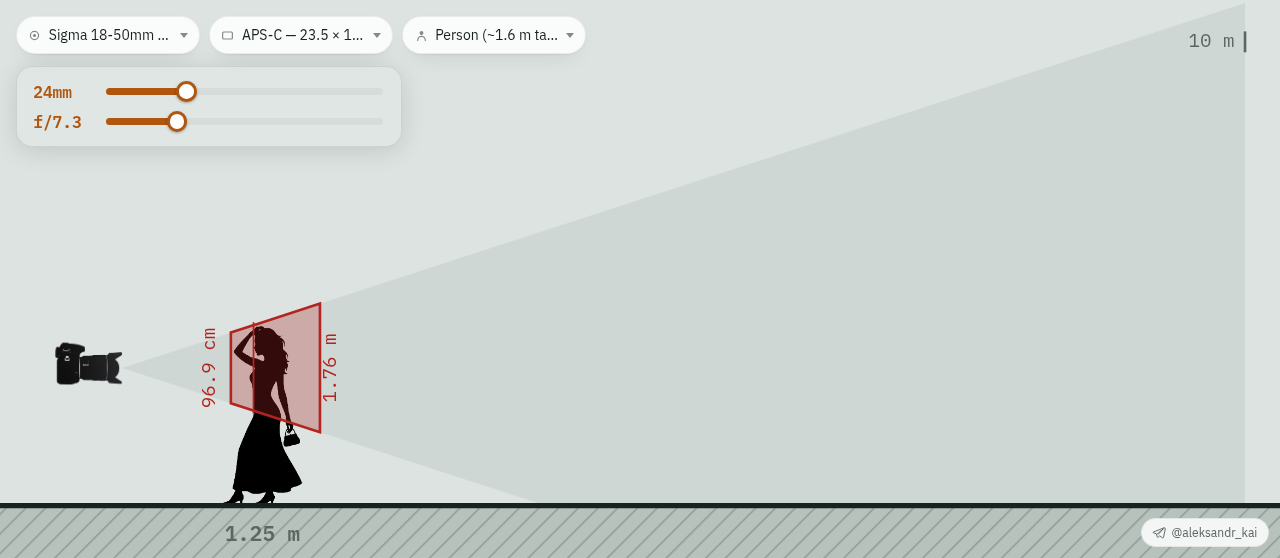
PhotoSim is a depth of field (DoF) calculator that shows you the result. Pick a real lens and sensor, set the focal length, aperture and subject distance, and see the zone of acceptable sharpness drawn to scale — near limit, far limit, total depth and hyperfocal distance. Drag the subject or the camera right in the scene.
What affects depth of field
- Aperture. A higher f-number (f/11, f/16) gives more depth of field; wide apertures (f/1.4, f/1.8) give less and a blurrier background.
- Focal length. At the same framing, longer lenses give a shallower depth of field than wide ones.
- Subject distance. The closer you focus, the thinner the sharp zone — in macro it is measured in millimetres.
- Sensor size. Smaller sensors (phones, 1-inch, Micro Four Thirds) have more depth of field than full frame or medium format for the same equivalent framing.
How depth of field is calculated
near = H · s / (H + (s − f))
far = H · s / (H − (s − f)), if s < H, otherwise ∞
DoF = far − near
Here f is the focal length, N the f-number, s the focus distance and c the circle of confusion, taken as the sensor diagonal / 1500.
DoF tables for your lens
Ready-made depth of field and hyperfocal distance tables for Canon RF/EF, Nikon Z, Sony E, Fujifilm X, Micro Four Thirds, Sigma and Tamron lenses: browse all lenses.
Free Android app
Install PhotoSim on your phone — it works offline: download the APK (about 2.5 MB), open it and allow installation from this source.
FAQ
What is depth of field?
Depth of field (DoF) is the distance between the nearest and farthest objects that look acceptably sharp in a photo. Everything outside that zone is progressively blurred.
How do I increase depth of field?
Stop the aperture down (higher f-number), use a shorter focal length, move away from the subject, or use a camera with a smaller sensor. You can test each change instantly in the calculator above.
How do I get a blurry background?
Open the aperture (f/1.4–f/2.8), use a longer focal length, move closer to the subject and increase the distance between the subject and the background.
What is hyperfocal distance?
The focus distance at which everything from half that distance to infinity is acceptably sharp — useful for landscapes.
Which circle of confusion does the calculator use?
The sensor diagonal divided by 1500 — about 0.029 mm on full frame.
Is there an Android app?
Yes. PhotoSim is a free Android app that works offline. Download the APK from this page.